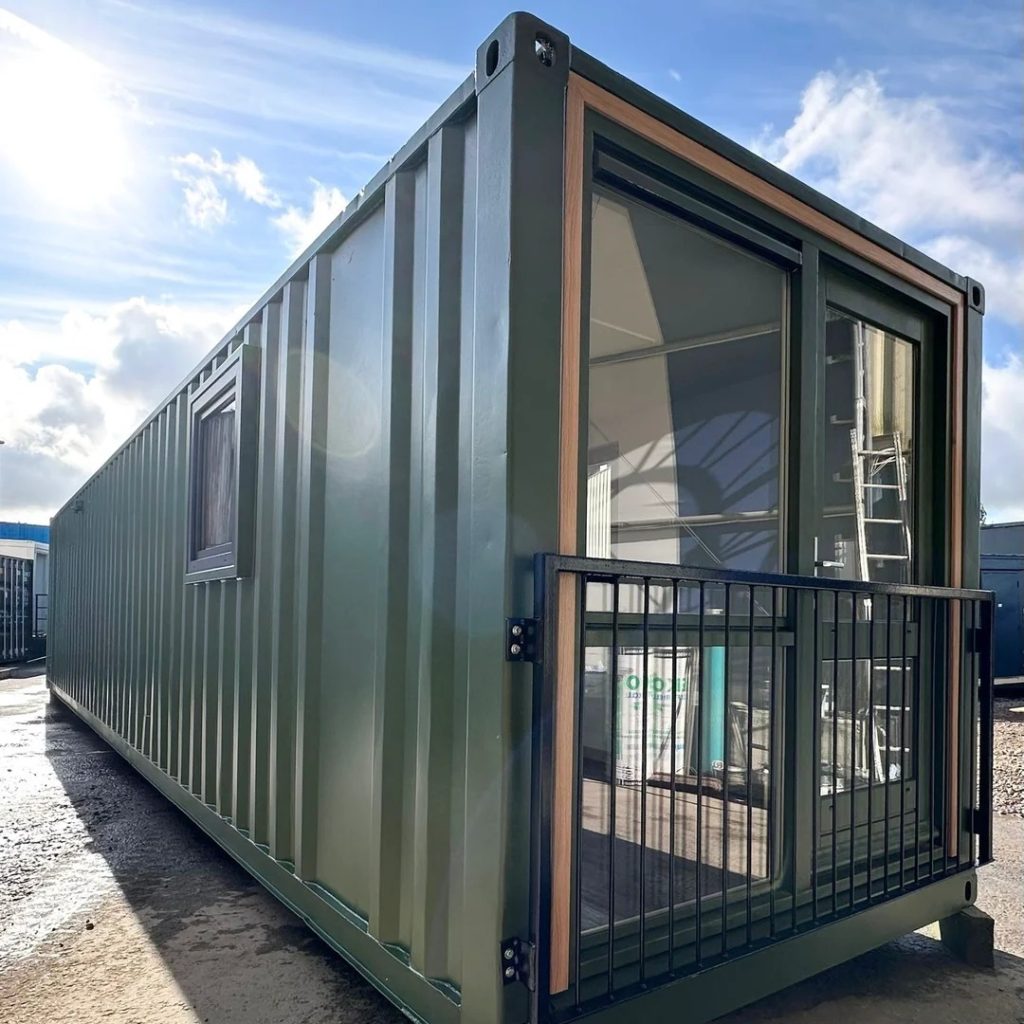
The Ultimate Guide to Containers: What They Are, Why You’ll Love Them, and How to Choose the Right One
Hey there! If you’ve ever wondered why containers appear everywhere—from the massive steel boxes stacked at ports to the lightweight “containers” that run your favorite apps—this post is for you. We’ll walk you through everything you need to know, break down the differences between the many types, and give you actionable tips so you can make the smartest choice for your next project, hobby, or business.
Grab a coffee, settle in, and let’s unlock the world of containers together.
Table of Contents
| # | Section |
|---|---|
| 1 | What Exactly Is a Container? |
| 2 | The Three Big Families: Shipping, Storage, & Software |
| 3 | Quick‑Comparison Table |
| 4 | Choosing the Right Container for Your Needs |
| 5 | Best‑Practice Checklist (list) |
| 6 | Real‑World Success Stories (list) |
| 7 | Frequently Asked Questions |
| 8 | Final Takeaway |
1️⃣ What Exactly Is a Container?
In its simplest form, a container is a self‑contained, standardized unit that can hold something—whether that’s cargo, food, or code—while keeping it safe, organized, and easy to move.
- Physical containers are the sturdy metal boxes you see on cargo ships, trucks, and at construction sites.
- Digital containers (think Docker, Kubernetes pods, or LXC) isolate software components so they run consistently across any environment.
The magic lies in standardization. Because every container follows a common set of dimensions or specifications, you can stack, ship, or run them without worrying about custom fittings or incompatibilities.
2️⃣ The Three Big Families
🚢 Shipping Containers
| Feature | Typical Specs | Common Uses |
|---|---|---|
| Size | 20‑ft (6.1 m) or 40‑ft (12.2 m) long, 8‑ft high, 8‑ft wide | International freight, storage yards |
| Material | Corten steel (weather‑resistant) | Rugged environments, long‑term exposure |
| Weight Capacity | Up to 30,000 kg (≈ 66,000 lb) | Heavy machinery, bulk goods |
| ISO Standard | ISO 668 (size), ISO 1496‑1 (design) | Global compatibility |
Shipping containers are the backbone of global trade. They’re engineered to survive the toughest sea voyages, be lifted by cranes, and stack up to 7 high on a container ship.
📦 Storage (or “General‑Purpose”) Containers
| Feature | Typical Specs | Common Uses |
|---|---|---|
| Size | 10‑ft, 20‑ft, 40‑ft, 45‑ft, custom | Personal storage, on‑site construction |
| Material | Corrugated steel, aluminum, or high‑density polyethylene (HDPE) | Weather‑proofing, easy transport |
| Doors | Single‑door, double‑door, roll‑up | Quick access, secure locking |
| Added Options | Insulation, ventilation, shelving | Sensitive goods, tools, seasonal items |
These are the “mini‑warehouses” you might rent when you need extra space next to your home or office. They’re often placed on private property and can be modified with shelving, lighting, or climate control.
💻 Software (Docker‑style) Containers
| Feature | Typical Specs | Common Uses |
|---|---|---|
| Isolation | Namespaces & cgroups (Linux) | Run multiple apps on same host without conflict |
| Portability | Image formats (Docker, OCI) | Deploy to dev, test, prod with identical behavior |
| Size | Typically < 1 GB per image | Micro‑services, CI/CD pipelines |
| Orchestration | Kubernetes, Docker Swarm | Scale to thousands of instances automatically |
Software containers package an application with everything it needs—code, runtime, system libraries, and settings—into a single, portable unit. This eliminates the dreaded “it works on my machine” problem.
3️⃣ Quick‑Comparison Table
| Dimension | Shipping Container | Storage Container | Software Container |
|---|---|---|---|
| Primary Goal | Move goods across oceans & land | Provide extra on‑site storage | Isolate and run software consistently |
| Physical vs. Virtual | Physical (steel) | Physical (steel/HDPE) | Virtual (image) |
| Typical Lifespan | 15‑20 years (with maintenance) | 5‑10 years (depends on material) | 1‑5 years (rapid version updates) |
| Cost (per unit) | $2,000–$5,000 (20‑ft) | $1,500–$4,000 (20‑ft) | <$100 (image size) |
| Regulations | ISO, IMDG (dangerous goods) | Local zoning, fire codes | CIS, NIST, industry‑specific compliance |
| Scalability | Limited by physical space | Limited by land area | Near‑infinite (cloud & on‑prem) |
| Key Benefits | Global compatibility, security, durability | Flexibility, quick deployment, modularity | Speed, reproducibility, resource efficiency |
Use the table above as a quick reference when you’re trying to decide which kind of container fits your next venture.
4️⃣ Choosing the Right Container for Your Needs
Below is a step‑by‑step decision tree you can follow. Grab a pen and tick the boxes that apply.
| Step | Question | Decision |
|---|---|---|
| 1️⃣ | Do you need to move physical items? | Yes → Go to Shipping or Storage. No → Go to Software. |
| 2️⃣ | Is the item a bulk commodity (e.g., raw materials) or a high‑value, delicate product? | Bulk → Shipping 20‑ft or 40‑ft. Delicate → Consider a refrigerated or insulated container. |
| 3️⃣ | Do you need on‑site, short‑term storage (≤ 2 years)? | Yes → Storage container. No → Look at long‑term warehousing or a shipping container repurposed for storage. |
| 4️⃣ | Do you need to run applications in a reproducible environment? | Yes → Software container. |
| 5️⃣ | Is high availability & auto‑scaling a requirement? | Yes → Pair Docker containers with Kubernetes. |
| 6️⃣ | What’s your budget? | < $3,000 → 20‑ft storage container. > $3,000 → 40‑ft shipping container or a custom‑spec solution. |
| 7️⃣ | Do you need certifications (ISO, IEC, FDA, etc.)? | Yes → Choose a vendor that provides documented compliance. |
5️⃣ Best‑Practice Checklist (Your Quick‑Start List)
✅ Measure twice, buy once – Double‑check the internal dimensions you need.
✅ Check local regulations – Zoning, fire safety, and weight‑load limits can affect placement.
✅ Inspect for damage – Look for rust, dents, or broken seals before acceptance.
✅ Plan for ventilation – Especially for storage containers holding chemicals or perishables.
✅ Secure your container – Use high‑grade locks, tamper‑proof hinges, and consider GPS tracking for high‑value cargo.
✅ Document your container’s serial number – It’s your proof of ownership and helps with insurance claims.
✅ For software: Use minimal base images – Smaller images mean faster pulls and less attack surface.
✅ Version‑control your container images – Tag them semantically (e.g., v1.2.0) and store in a private registry.
✅ Apply security patches regularly – Both for physical containers (corrosion treatments) and software containers (up‑to‑date OS libraries).
6️⃣ Real‑World Success Stories (What Others Have Done)
| Industry | Challenge | Container Solution | Outcome |
|---|---|---|---|
| Construction | Need on‑site storage for tools, yet limited space. | 20‑ft storage container with built‑in shelving and solar lighting. | 30 % reduction in tool loss, improved workflow. |
| E‑commerce | Deploy micro‑services without dev‑ops overhead. | Docker containers orchestrated by Kubernetes on AWS. | 4× faster release cycle, 99.9 % uptime. |
| Agriculture | Export fresh produce overseas, temperature‑sensitive. | Refrigerated 40‑ft shipping container with IoT temperature monitoring. | 12 % increase in shelf‑life, fewer spoilage claims. |
| Education | Provide affordable lab environments for CS students. | Pre‑built Docker images with pre‑installed tools (Python, Node, MySQL). | Students can spin up a full dev environment in < 2 minutes. |
7️⃣ Frequently Asked Questions
Q1. Are shipping containers safe for long‑term storage?
Absolutely. When placed on a level, well‑drained foundation and protected from direct sunlight, a steel container can safely store items for decades. Add ventilation and a dehumidifier for moisture‑sensitive goods.
Q2. Can I modify a container (add windows, doors, or insulation)?
Yes. Most reputable vendors offer custom builds: insulated walls, side doors, office pods, and even tiny homes. Just ensure any modifications keep the structural integrity and don’t void the ISO certification.
Q3. How do software containers differ from virtual machines (VMs)?
Containers share the host OS kernel, making them lighter and faster—they start in seconds and use far fewer resources. VMs, by contrast, run a full guest OS, which adds overhead but provides stronger isolation. Choose containers for micro‑services; VMs for completely separate OS requirements.
Q4. What security concerns should I watch for with Docker containers?
- Image provenance: Use trusted registries.
- Least‑privilege: Run containers as non‑root users.
- Network policies: Restrict inbound/outbound traffic using firewall rules or service meshes.
- Regular scans: Employ tools like Trivy or Clair to detect vulnerabilities.
Q5. How many containers can I stack on a ship?
A typical modern container ship can stack up to 7 containers high on deck and 5–6 high in the holds, resulting in a total capacity of 20,000–24,000 TEUs (twenty‑foot equivalent units).
Q6. Do I need a special license to own a shipping container?
No special license is required for ownership, but you may need permits for placement (especially if you’re putting it on public land) and compliance with local zoning rules.
Q7. What’s the environmental impact of containers?
Steel containers are highly recyclable; up to 95 % of the material can be reclaimed at the end of life. Software containers improve server utilization, reducing electricity consumption by up to 70 % compared to running each app on a separate VM.
8️⃣ Final Takeaway
Whether you’re looking to store your backyard gear, ship a pallet of electronics across the globe, or deploy a cloud‑native app in seconds, containers give you a standardized, secure, and scalable solution.
- Physical containers give you the rugged reliability of a steel box that can survive oceans, deserts, and urban streets.
- Software containers deliver lightning‑fast, repeatable application deployments that keep your code running the same way everywhere.
By understanding the core attributes—size, material, certification, and cost—you can confidently select the perfect container for any scenario. And remember: the best results come from combining good planning (our checklist), smart customization (real‑world stories), and ongoing maintenance (security patches, inspections).
Ready to take the next step? Grab a quote from a reputable container supplier, spin up a Dockerfile, or simply measure the space in your garage. The world of containers is waiting, and it’s easier than you think.
Happy stacking, storing, and scaling! 🚀